Sharing Data#
PyProBE makes sharing data simple and straightforward. This is a simple example to demonstrate the process.
First we will import some sample data:
%%capture
%pip install matplotlib
import os
import shutil
from pprint import pprint

import pyprobe

%matplotlib inline

# Describe the cell. Required fields are 'Name'.
info_dictionary = {
    "Name": "Sample cell",
    "Chemistry": "NMC622",
    "Nominal Capacity [Ah]": 0.04,
    "Cycler number": 1,
    "Channel number": 1,
}

# Create a cell object
cell = pyprobe.Cell(info=info_dictionary)

data_directory = "../../../tests/sample_data/neware"

cell.import_from_cycler(
    procedure_name="Sample",
    cycler="neware",
    input_data_path=data_directory + "/sample_data_neware.xlsx",
)
We can then use the archive() method of the cell object. This stores all attributes of the cell object into a single folder. The data is stored as .parquet files and the metadata is stored in .json files.
cell.archive(path="sample_archive")
os.listdir(".")
['plotting.ipynb',
 'maximising-performance.ipynb',
 'filtering-data.ipynb',
 'comparing-pyprobe-performance.ipynb',
 'differentiating-voltage-data.ipynb',
 'examples.rst',
 'getting-started.ipynb',
 'analysing-GITT-data.ipynb',
 'ocv-fitting.ipynb',
 'sharing-data.ipynb',
 'sample_archive',
 'working-with-pybamm-models.ipynb',
 'providing-valid-inputs.ipynb']
You can choose to compress the folder by adding .zip to the path:
cell.archive(path="sample_archive.zip")
os.listdir(".")
['sample_archive.zip',
 'plotting.ipynb',
 'maximising-performance.ipynb',
 'filtering-data.ipynb',
 'comparing-pyprobe-performance.ipynb',
 'differentiating-voltage-data.ipynb',
 'examples.rst',
 'getting-started.ipynb',
 'analysing-GITT-data.ipynb',
 'ocv-fitting.ipynb',
 'sharing-data.ipynb',
 'working-with-pybamm-models.ipynb',
 'providing-valid-inputs.ipynb']
You can then retrieve the archived object with the pyprobe.load_archive() method:
saved_cell = pyprobe.load_archive("sample_archive.zip")
pprint(saved_cell.info)
{'Channel number': 1,
 'Chemistry': 'NMC622',
 'Cycler number': 1,
 'Name': 'Sample cell',
 'Nominal Capacity [Ah]': 0.04}
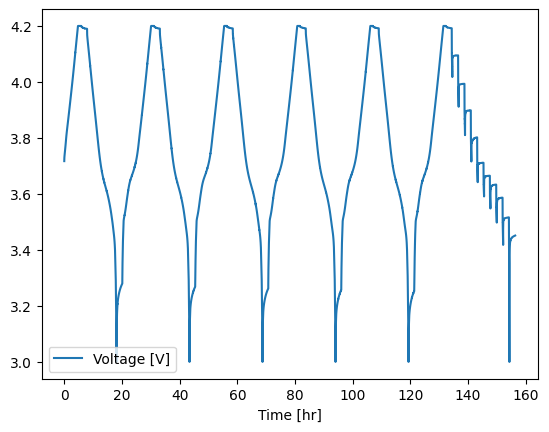
saved_cell.procedure["Sample"].plot(x="Time [hr]", y="Voltage [V]")
<Axes: xlabel='Time [hr]'>
Clean up after example
shutil.rmtree("sample_archive")